
Write, format and publish your book.
Plan the story, write the manuscript, then export a print-ready paperback for Amazon KDP, an EPUB ebook or a standard manuscript for agents. From Librum, a publishing house.
Free download · 14 days free, then €62 a year · macOS 26, Apple silicon
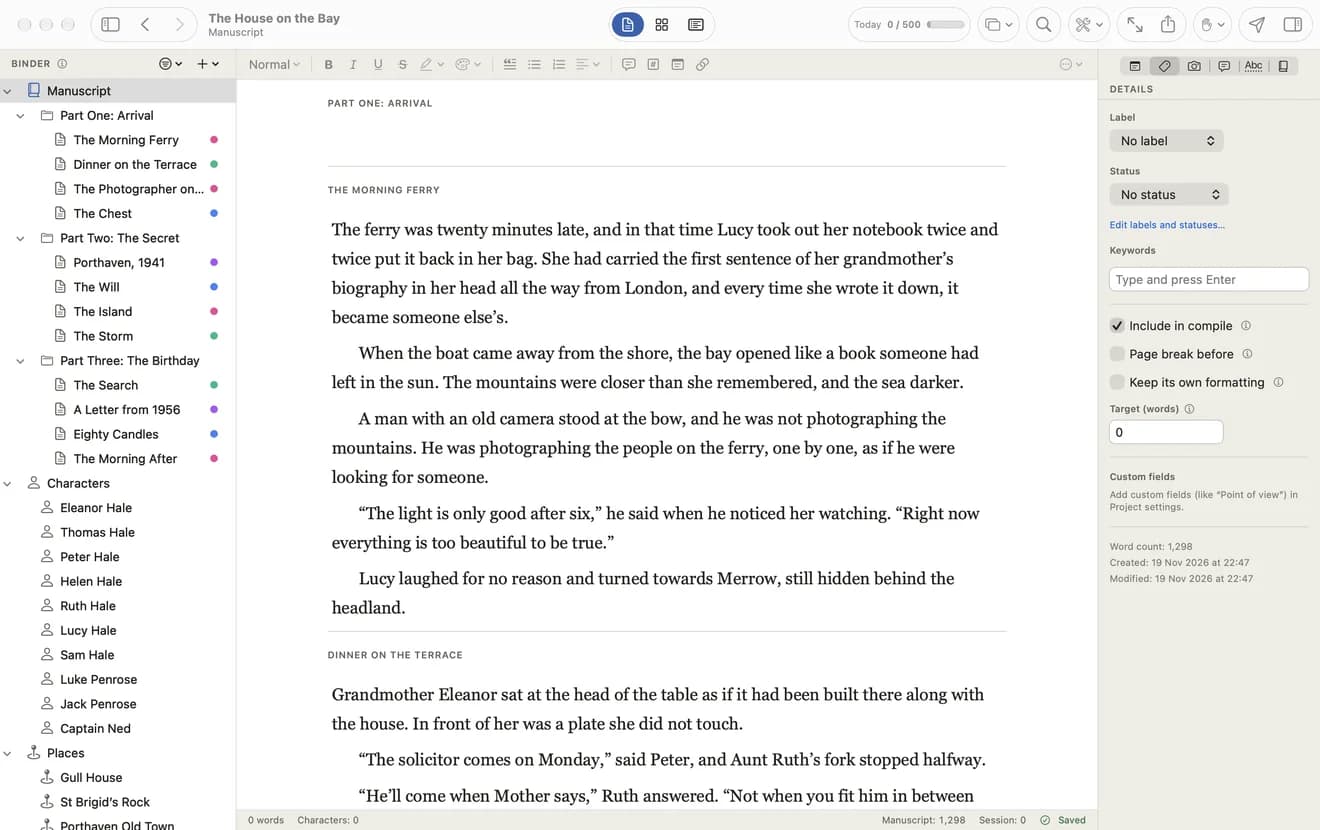
One manuscript. Every format a book needs.
When the draft is done, choose where it goes. These pages are real exports of the sample novel that comes with the app, untouched.
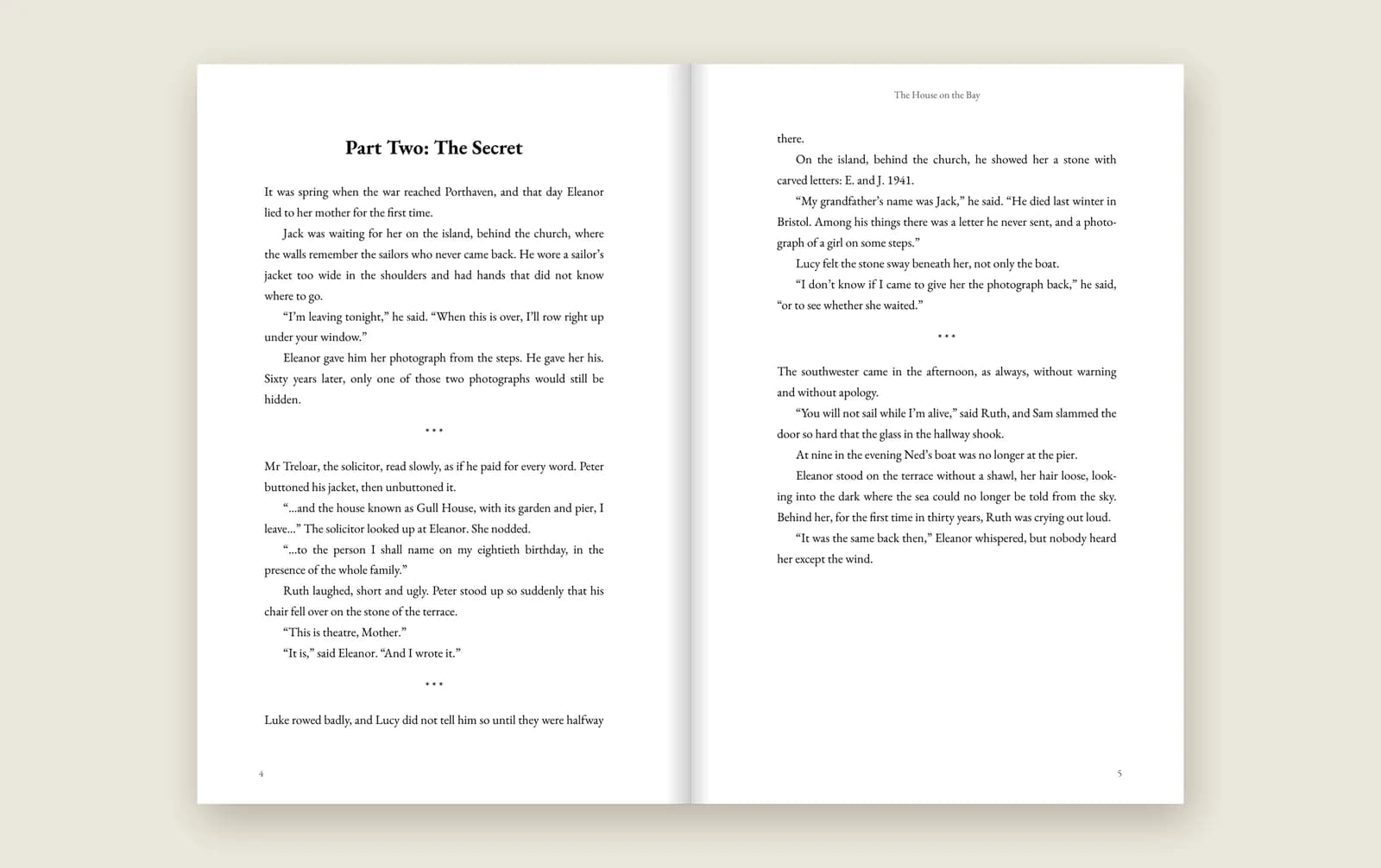
A paperback for KDP and IngramSpark
Print PDF in 6 × 9, 5.5 × 8.5 or 5 × 8 inches: mirrored margins, a gutter wide enough for thick books, running heads, page numbers and the fonts embedded.
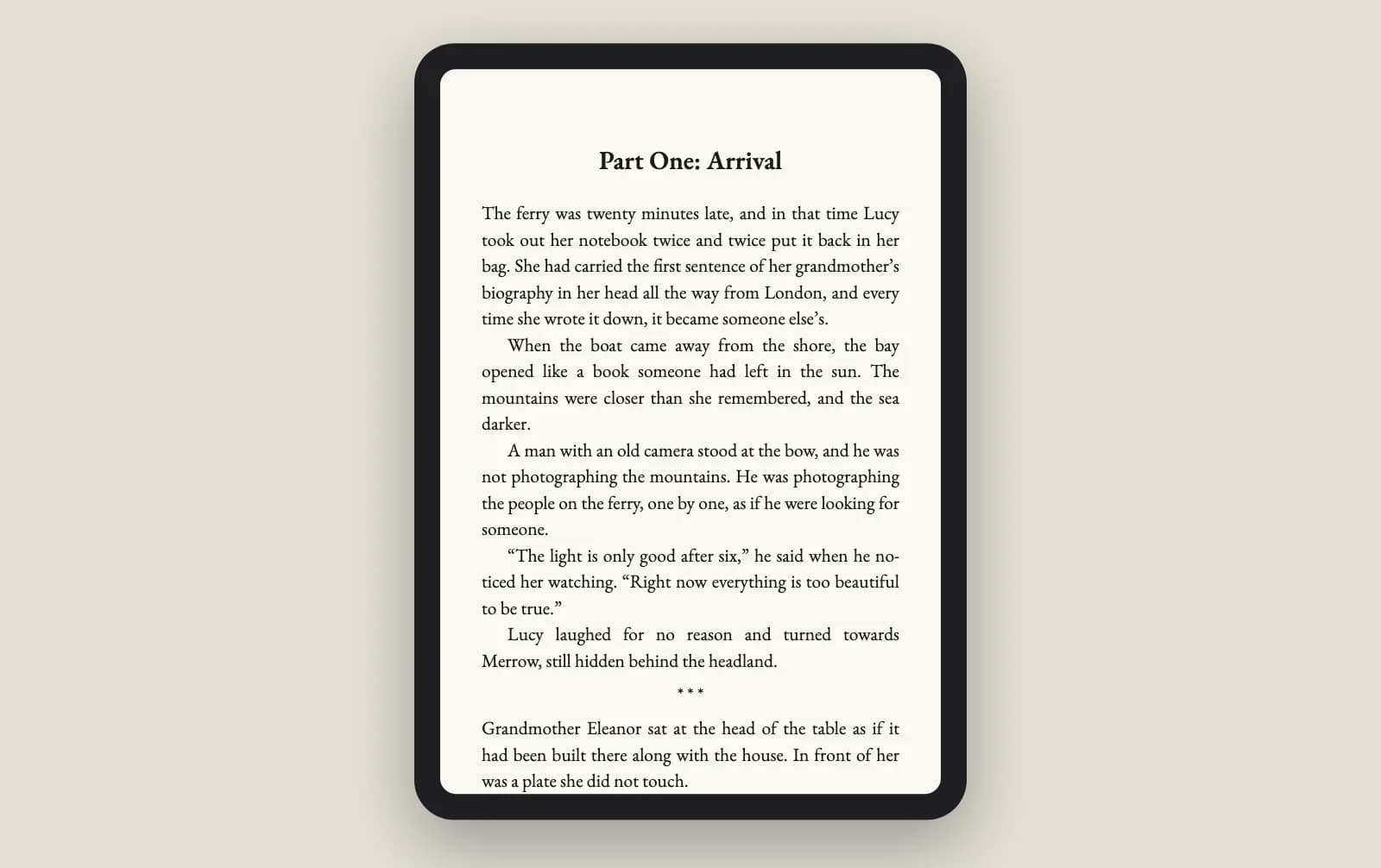
An EPUB ebook
For Kindle, Apple Books and Kobo, with a title page, a table of contents and embedded fonts. Smart quotes and scene breaks are set for you.
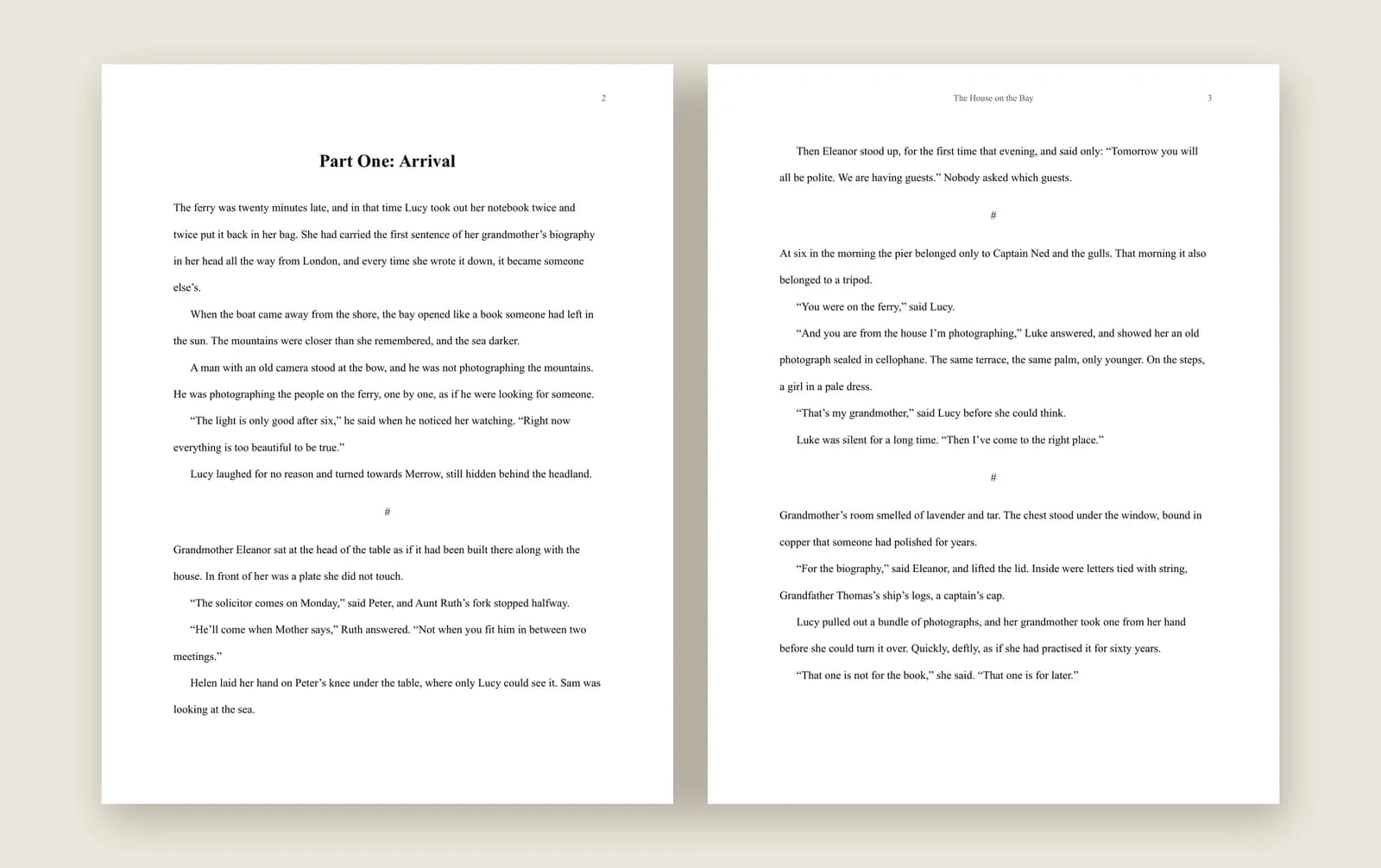
A manuscript for agents and publishers
A standard Word manuscript: US Letter, Times New Roman 12 pt, double-spaced, with the header agents expect. A version for your editor carries comments and line numbers.
One novel, from the first page to the publisher.
Three minutes, narrated: the manuscript, characters, the corkboard, the timeline, story structure, proofreading, then a paperback for KDP, an EPUB and a Word manuscript for agents, and the submissions log.
Everything a long book needs, in one project.
Begin with a structure, not a blank page.
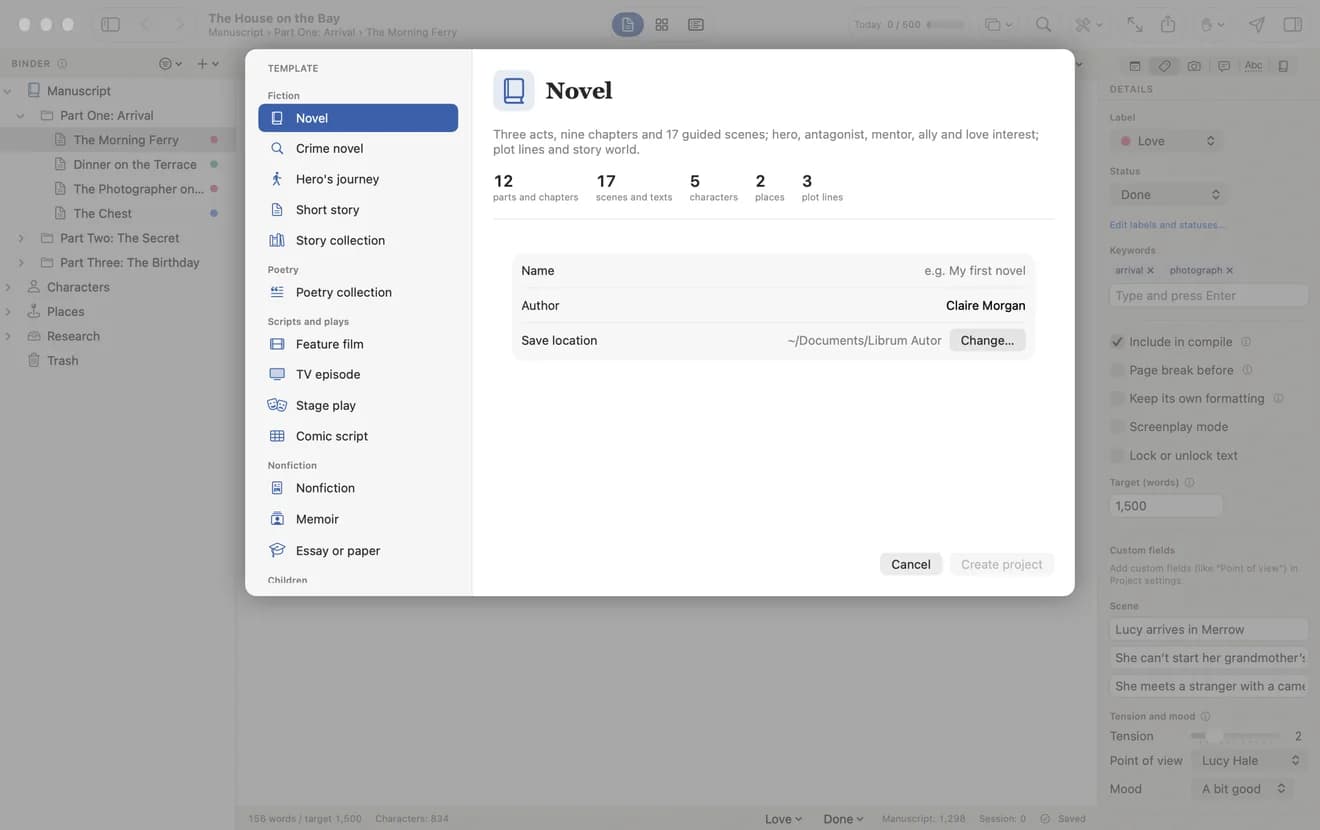
Pick a template — novel, crime novel, hero’s journey, short story, poetry collection, feature film, TV episode, stage play, comic script, nonfiction or memoir — and the parts, scenes and characters are set up for you.
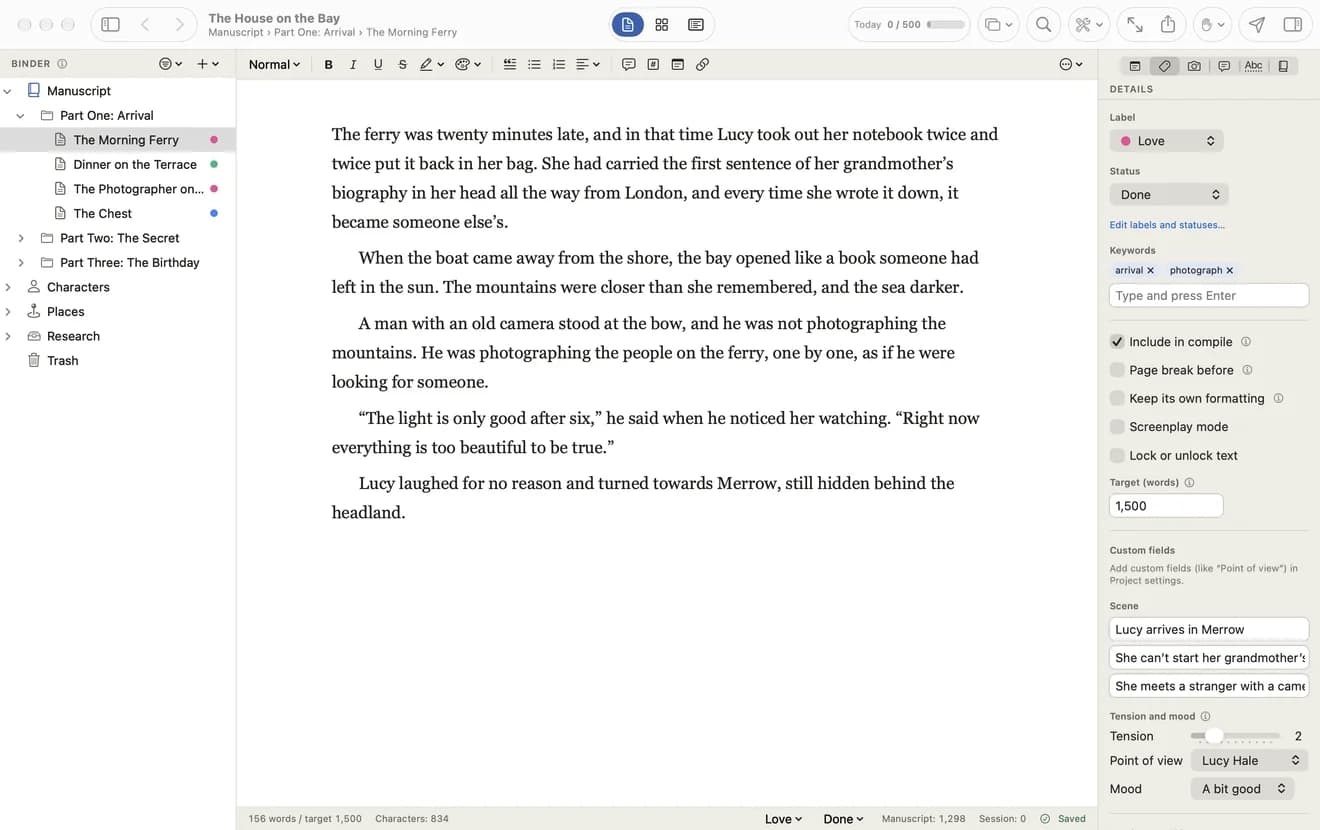
The whole book in one window.
The binder on the left holds every part, chapter and scene, with characters and places underneath. Each scene keeps its own label, status, keywords, synopsis and word target.
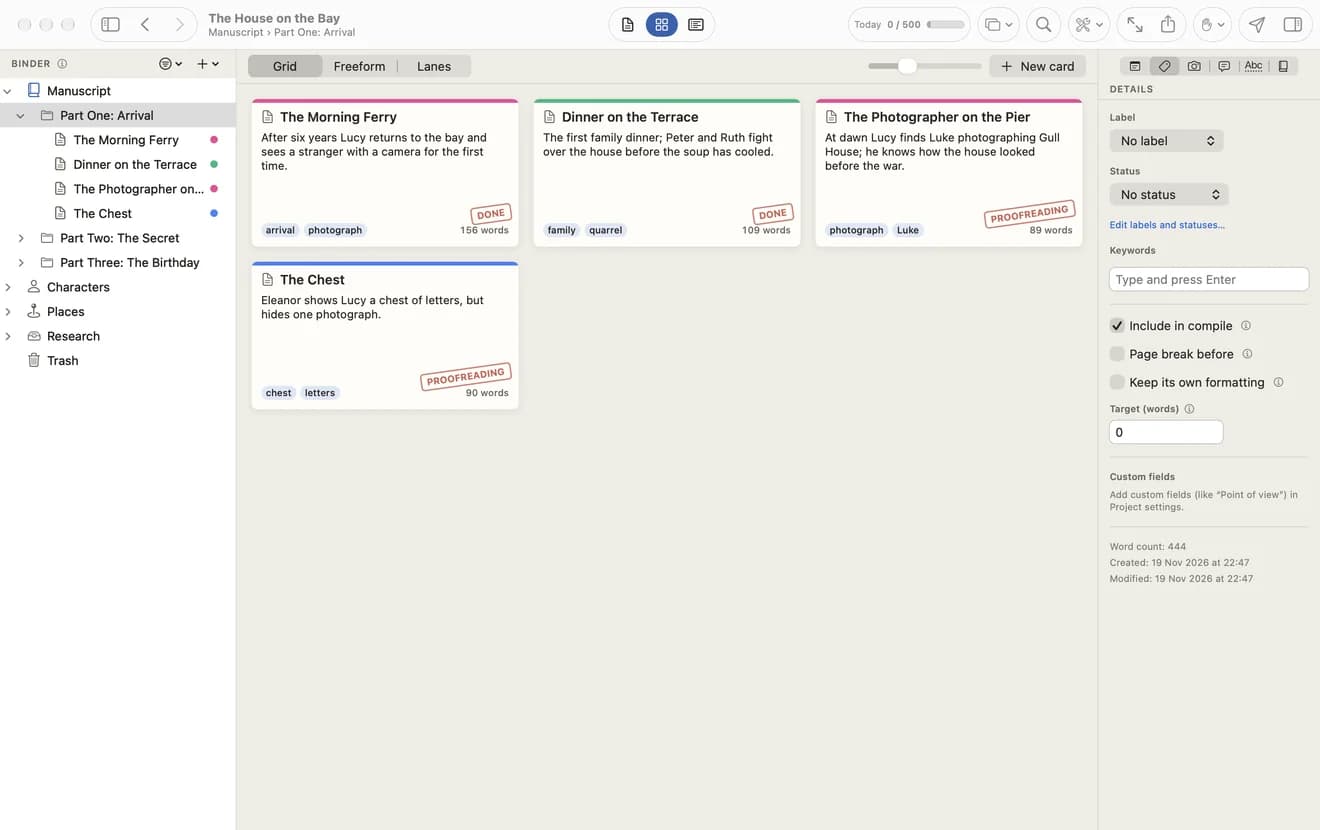
Scenes as index cards.
Every scene as a card with its synopsis, keywords, status and word count. Switch between a grid, a freeform board and lanes, or see the same scenes as an outline.
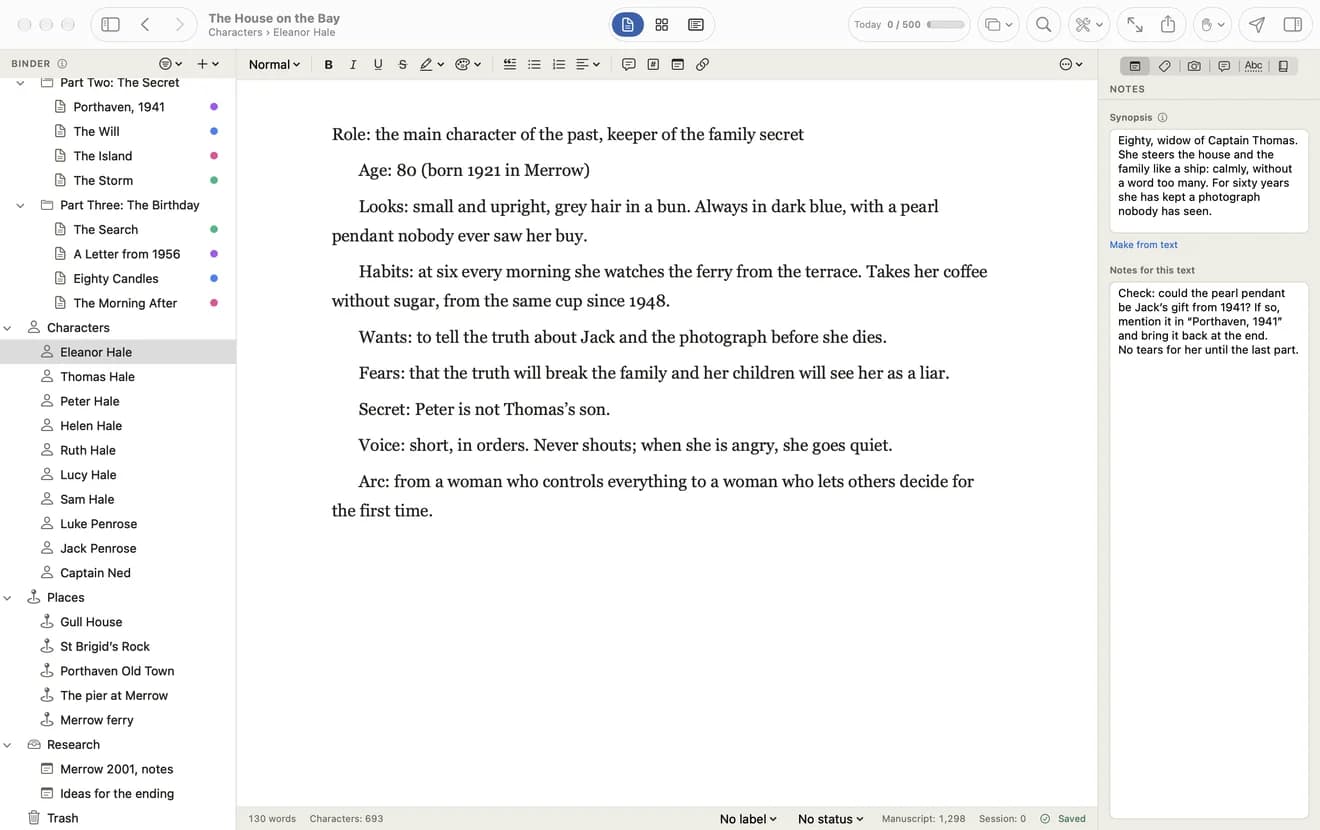
A sheet for everyone in the story.
Looks, wants, fears, secrets and arc for each character, a description for each place, and a twenty-question character interview when someone still feels flat.
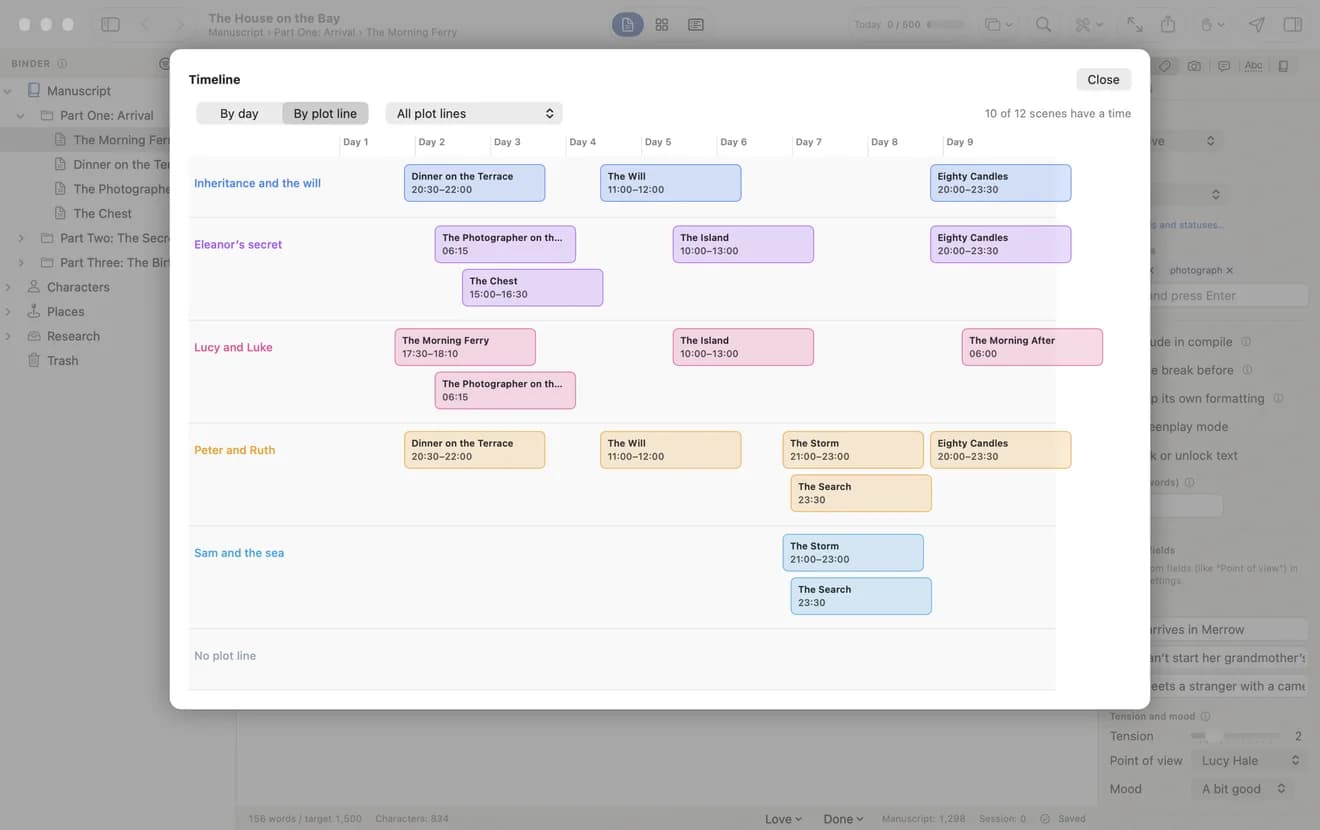
Who is where, and when.
Place scenes by day and hour, or by plot line, and spot at once where two stories collide. A scene calendar shows the same story month by month.
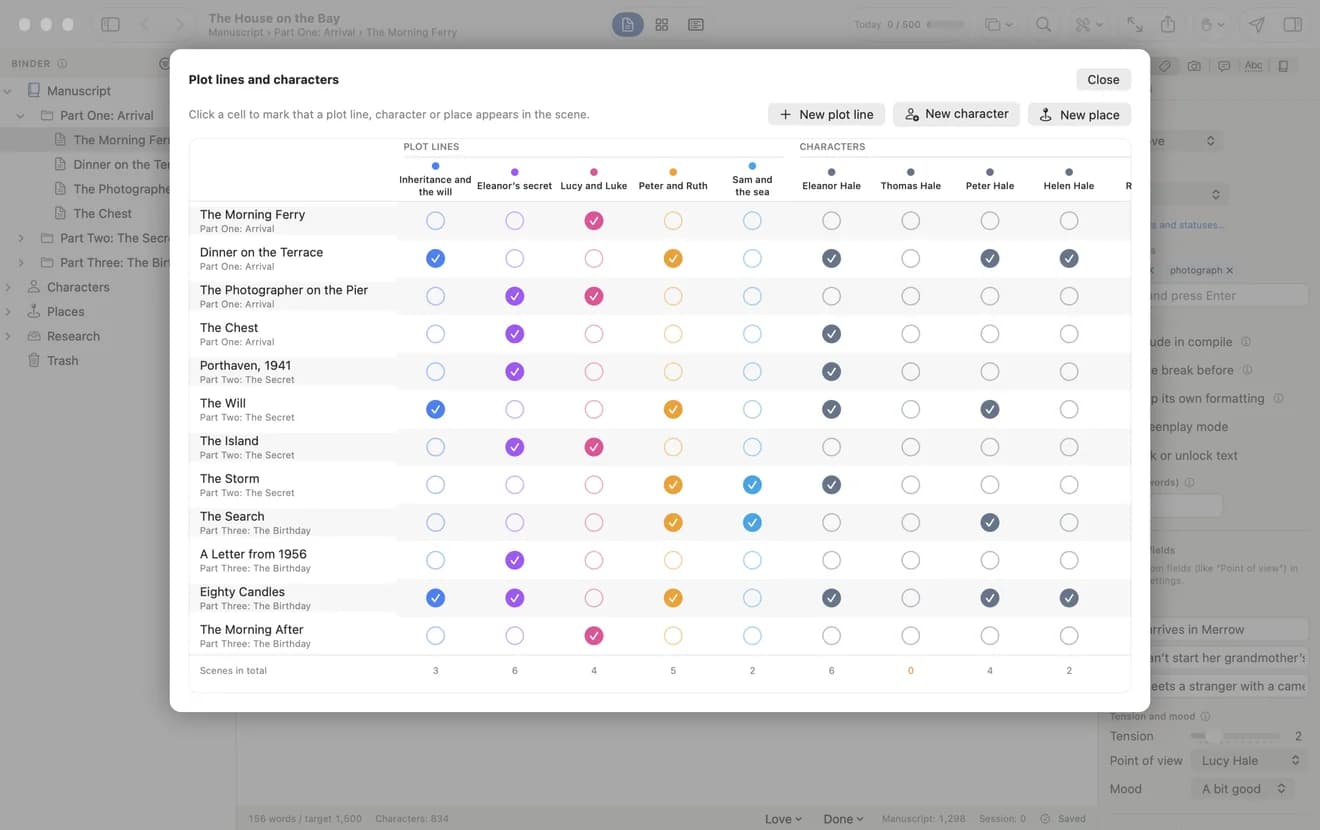
Which thread runs through which scene.
A grid of scenes, plot lines and characters. Click a cell to mark who appears where, and see which thread has gone quiet.
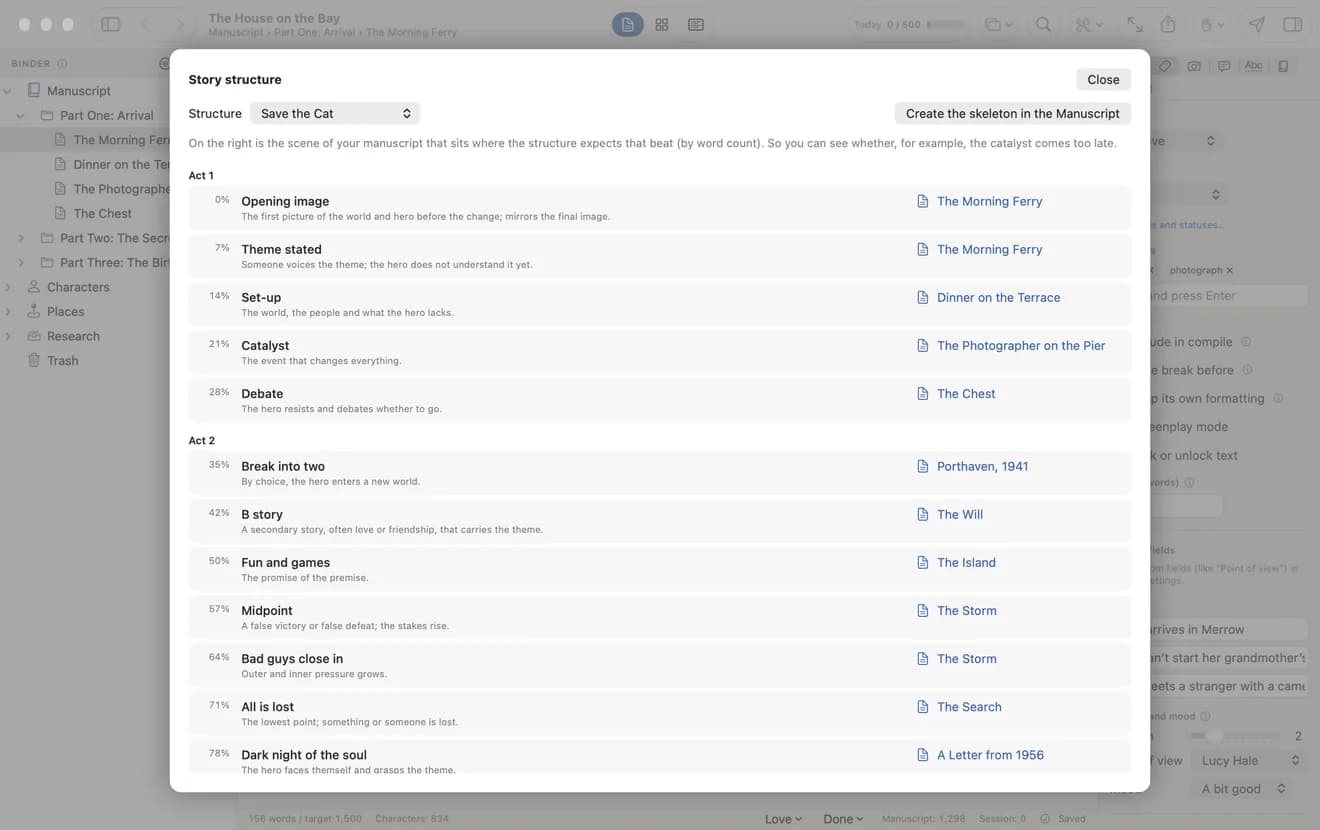
Save the Cat, the hero’s journey and the tension of every scene.
Ten classic story structures mapped onto your manuscript by word count, so you can see whether the catalyst comes too late — and a tension curve through the whole book.
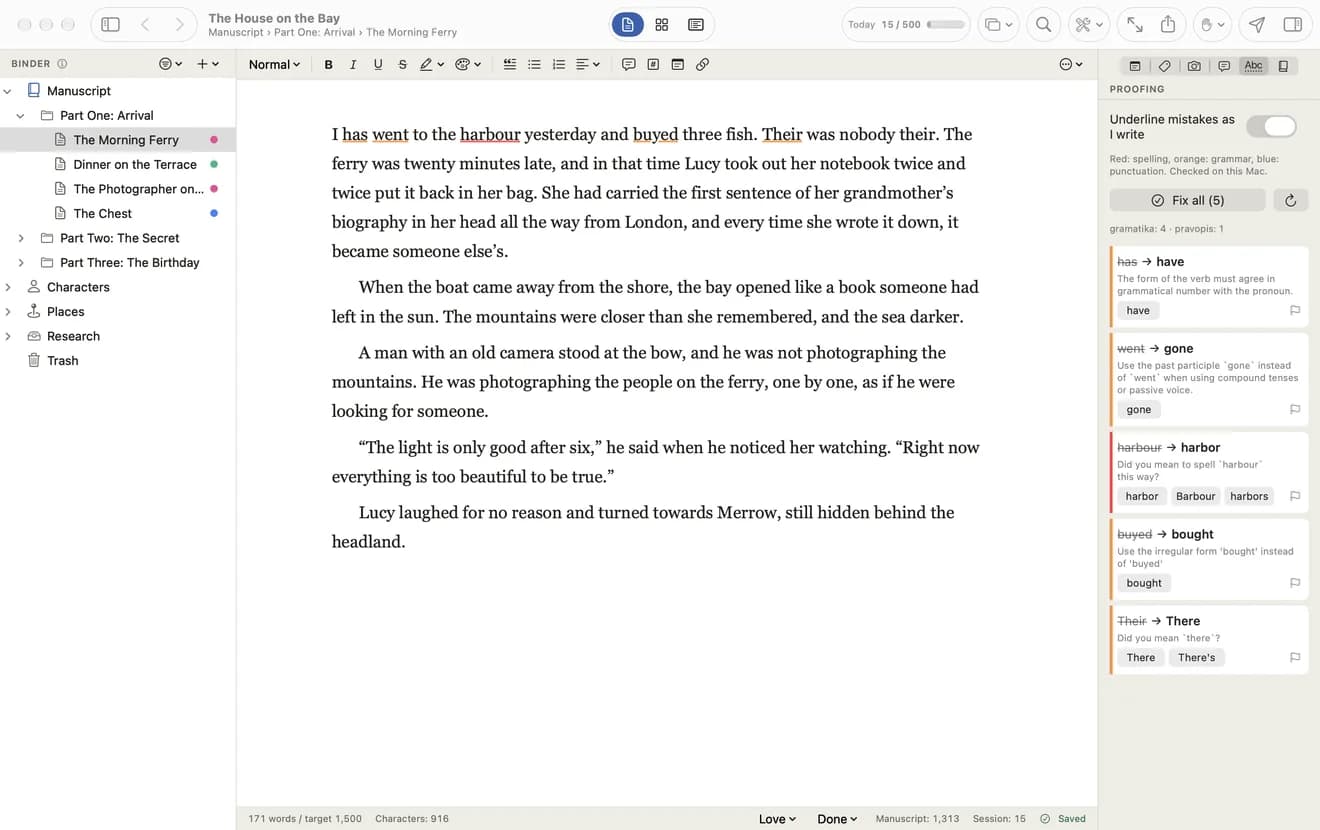
Proofreading as you write.
Spelling, grammar and punctuation are underlined while you type, in English and Serbian, and one click fixes them all. Text analysis finds the words you repeat too often.
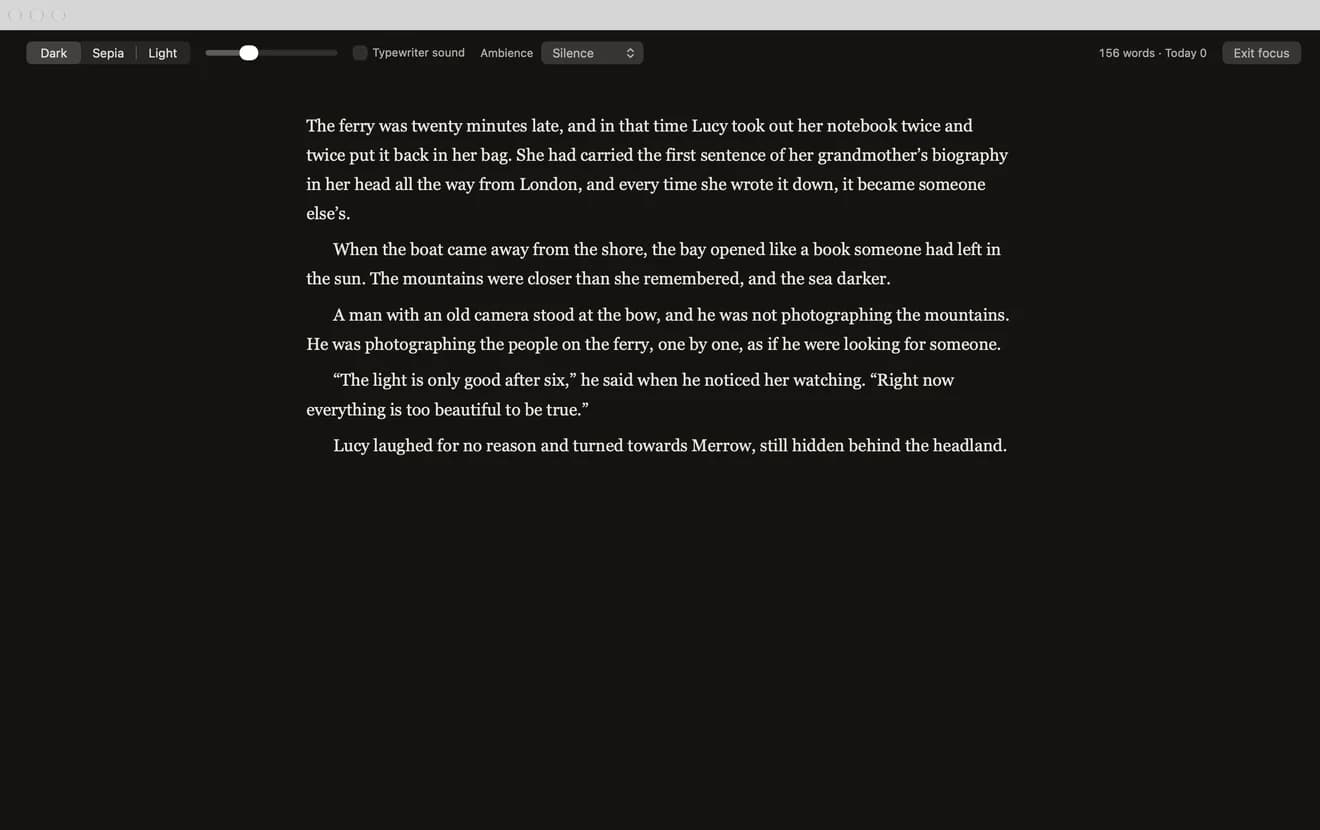
Just you and the text.
Full screen on a dark, sepia or light page, with an optional typewriter sound and ambient rain. Writing sprints, daily targets and a deadline keep the book moving.
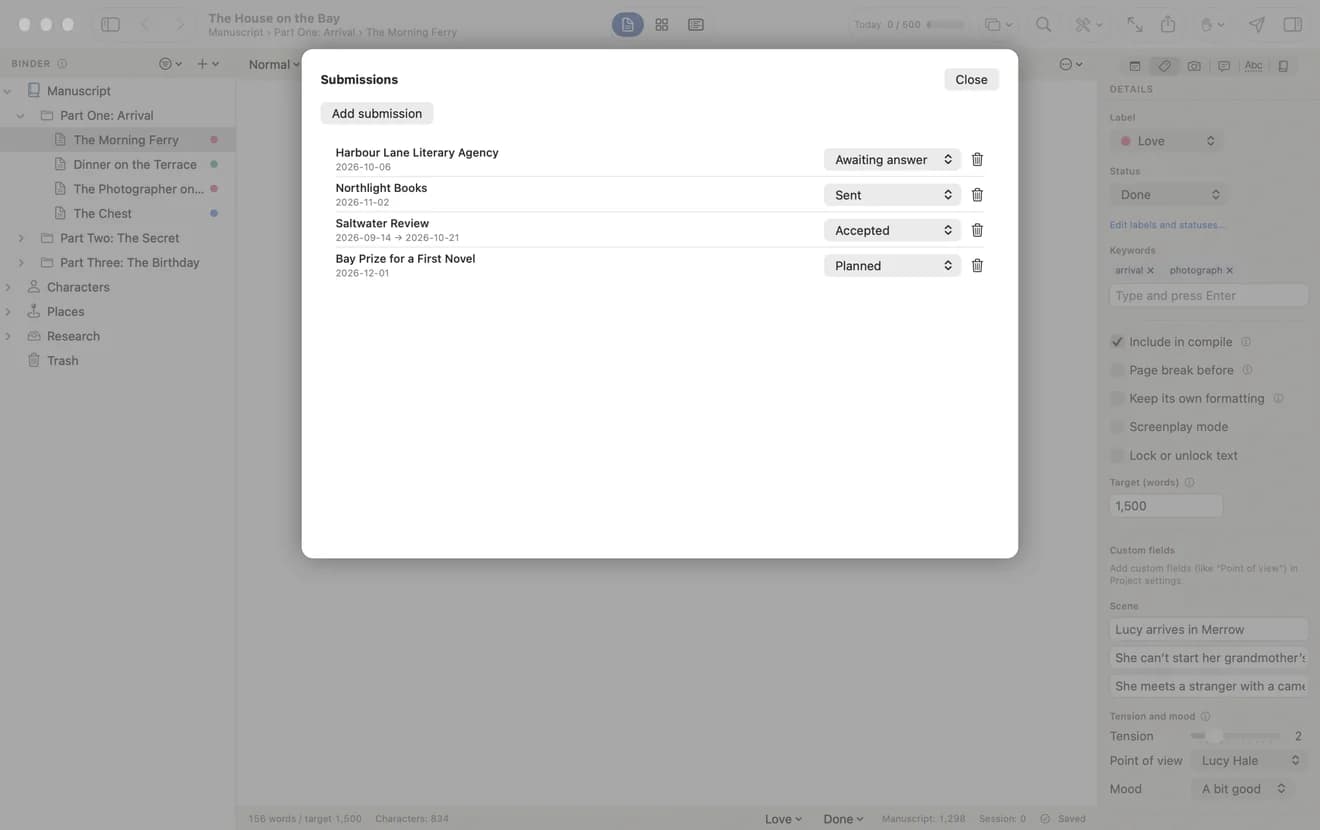
Every submission in one place.
Keep track of every agent, publisher, contest and magazine you sent your work to: when, what exactly, and what they answered.
The way professional writers work.
Novels, screenplays and long nonfiction are rarely written in a word processor. Professional writers use dedicated writing software, where a book is a structure of chapters and scenes with everything around it close at hand, and formatting tools to turn it into a book. Librum Autor brings the best known ideas together in one app:
Try it free for 14 days.
Download it free and use every feature for 14 days. Then €62 a year ($59 in the US, or the local equivalent), paid through the Mac App Store and cancelled any time in your Apple account. One subscription works on up to three computers with the same account. Bought the app earlier? Your lifetime license stays.
macOS 26 or later, Apple silicon. Windows version in preparation.
Frequently asked
What is Librum Autor?
Book writing software for Mac. Your manuscript is split into parts, chapters and scenes, with characters, places, research, notes and a story plan kept next to it in one project. When the book is finished, it formats it for print, ebook stores and literary agents.
Can I publish on Amazon KDP with it?
Yes. Compile the manuscript as a print PDF in the trim sizes KDP and IngramSpark use (6 × 9, 5.5 × 8.5 and 5 × 8 inches), with mirrored margins, a gutter wide enough for thick books and the fonts embedded.
Does it make EPUB ebooks?
Yes. The EPUB has a table of contents and embedded fonts, and works with Kindle (through KDP), Apple Books, Kobo and other stores.
How is it different from a word processor?
A word processor treats a book as one long document. Librum Autor treats it as a structure you can see and rearrange: scenes on a corkboard, a timeline, plot lines, a relationship map and a tension arc for the whole book.
Is it like Scrivener?
It follows the same way of working as Scrivener and similar tools such as Ulysses, Plottr, Dabble and Final Draft, and brings their most used features together in one app.
How much does it cost?
The download is free and the first 14 days cost nothing. After that it is a yearly subscription through the Mac App Store: €62 a year ($59 in the US, or the local App Store equivalent), cancel any time in your Apple account. One subscription works on up to three computers with the same account. If you bought the app before the subscription, you keep your lifetime license.
Is there a Windows version?
Not yet. Librum Autor is available for Mac today; a Windows version is in preparation.
Does my manuscript go to the cloud?
No. The app works offline and uses no artificial intelligence. Your manuscript stays on your computer, in a file you choose. The internet is only needed to sign in to your account.
Your book has a structure. Give it a home.
Get Librum Autor on the Mac App Store. And when the manuscript is finished, Librum can turn it into a book: editing, design, typesetting, ebook and print.