
Scrivener: the writing app built for long, messy projects
Why so many novelists and non-fiction authors draft in Scrivener instead of Word — the binder, the templates, the corkboard and Compile, plus an honest look at the learning curve.
Ask a room full of novelists what they draft in and you’ll hear three answers: Word, Google Docs, and — said with a certain quiet conviction — Scrivener. It’s the one purpose-built tool in that list, made for the specific problem of writing something long, structured and constantly changing. Made by Literature & Latte, it has quietly become the default workshop for a huge number of working writers. Here’s why, and whether it’s worth your time.
The problem Scrivener actually solves
A novel is not one long document — it just ends up pretending to be one. Word and Docs treat your book as a single scroll, so by 60,000 words you’re hunting with Find, scrolling for ten minutes to check what a character said in chapter three, and terrified to move a scene. Scrivener’s answer is to stop pretending. Your book is a stack of small pieces — scenes, chapters, notes, research — that you can see, reorder and rewrite without ever losing the whole.
It starts with a template that matches how books are built
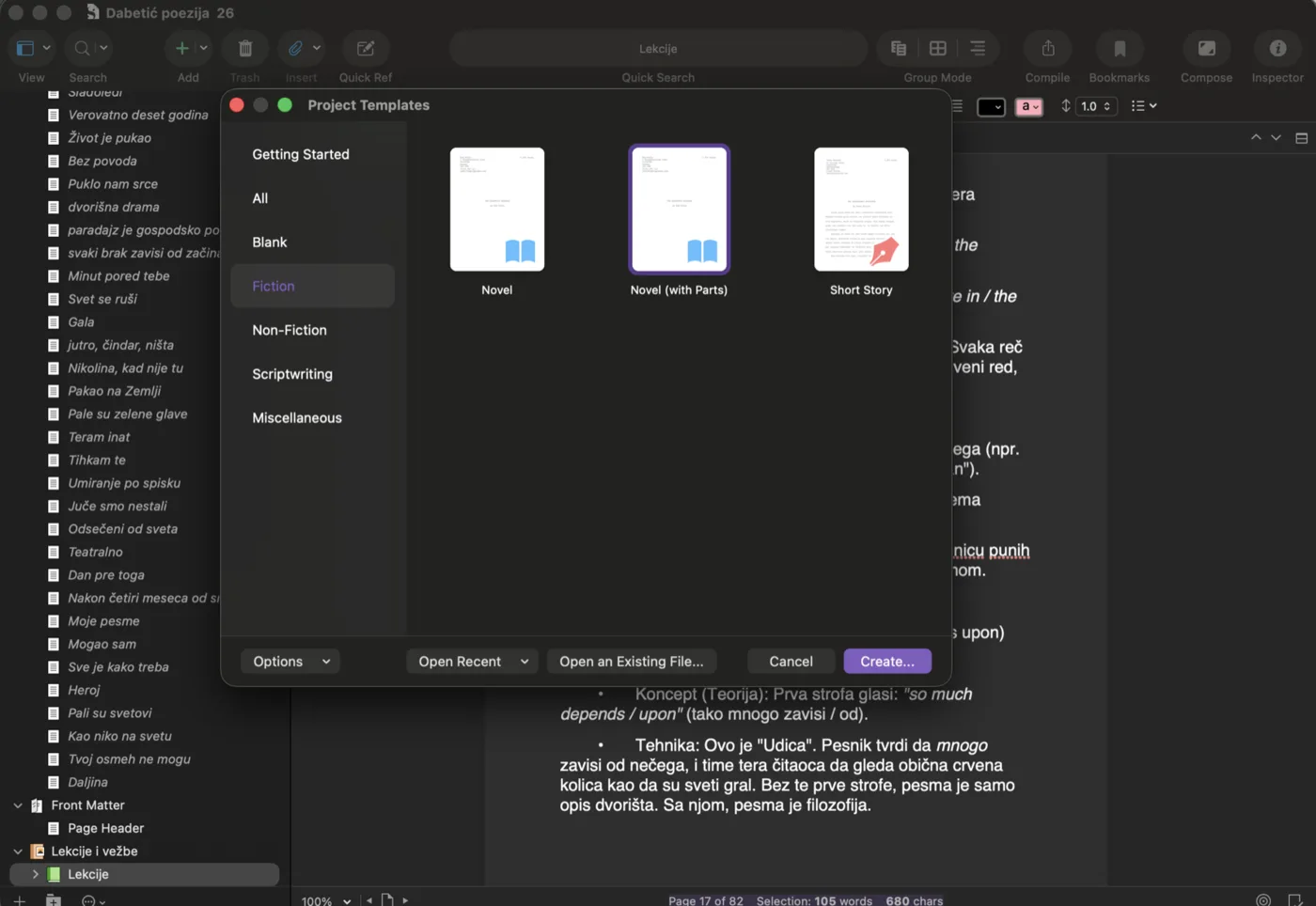
When you create a project, Scrivener offers templates shaped like real formats — Novel, Novel (with Parts), Short Story, plus non-fiction and scriptwriting layouts — each pre-wired with the right folders, front matter and compile settings. You’re not starting from a blank page; you’re starting from a structure that knows what a book is.
The Binder: your whole book in one sidebar
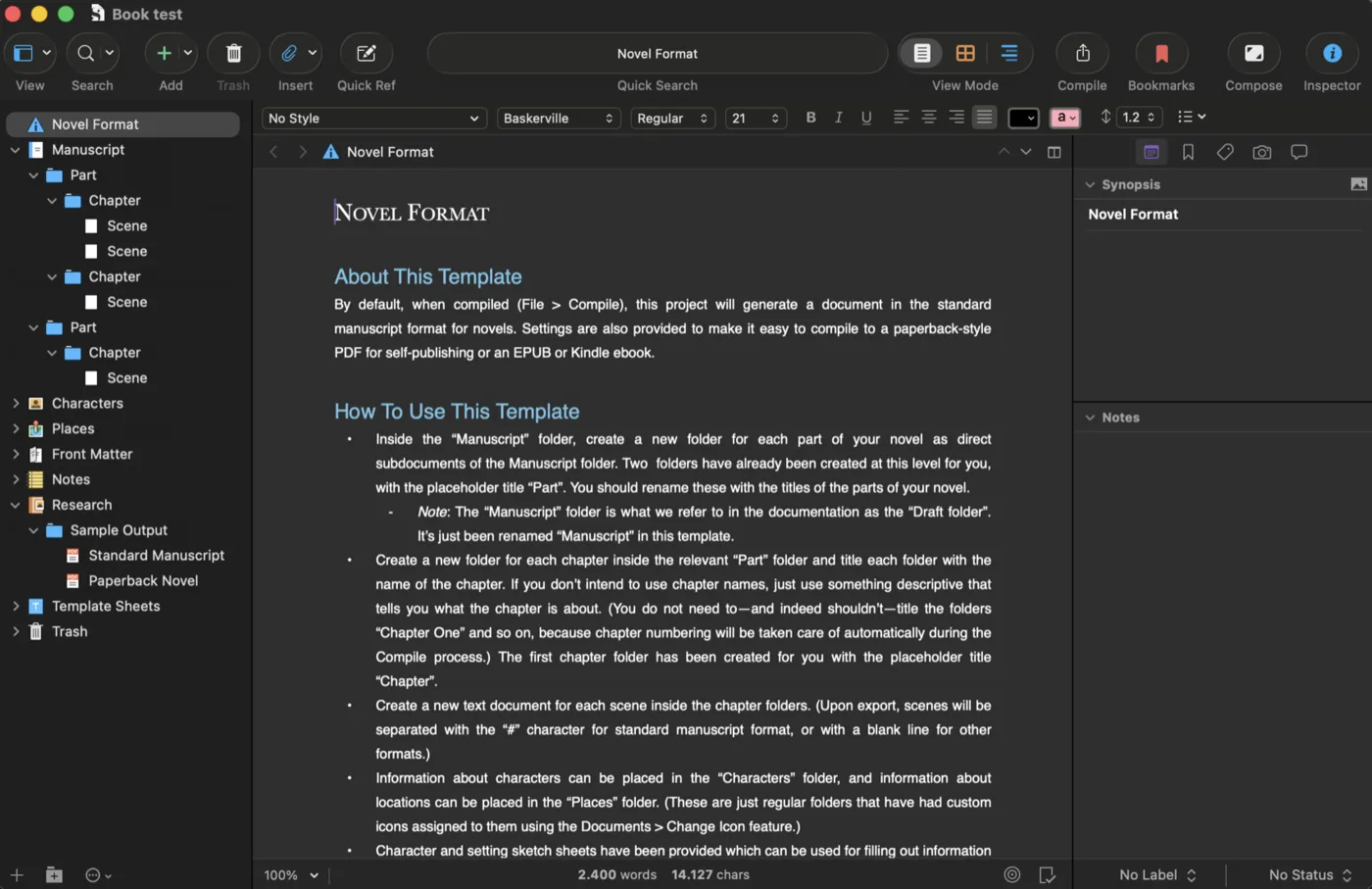
The heart of Scrivener is the Binder — a collapsible outline of your entire project down the left side. Manuscript splits into Parts, Parts into Chapters, Chapters into Scenes, and you drag any of them anywhere. Alongside the manuscript live folders the reader never sees: Characters, Places, Research, notes, even sample output. Your worldbuilding, your reference photos and your draft all sit in one file, a click apart.
Click a single scene and you edit just that scene. Select a folder and Scrivener stitches its contents into one continuous text (a mode called Scrivenings) so you can read a whole chapter as if it were one document. Zoom out to the Corkboard and every scene becomes an index card you can shuffle; switch to the Outliner and you get a spreadsheet-like view with word counts, status and synopsis for the entire book. Same material, three altitudes — line, scene, structure.
The Inspector: notes that travel with the text
Down the right side, the Inspector pins a synopsis, notes, keywords, label and status to each document. You can mark scenes “First draft / Revised / Final”, snapshot a paragraph before you butcher it (and roll back if you regret it), and leave yourself comments that never end up in the finished book. It’s the difference between editing blind and editing with the scene’s whole history at your elbow.
Compile: one draft, many finished files
This is the part that converts skeptics. When the writing is done, Scrivener’s Compile assembles your scattered scenes into a single, properly formatted output — a standard manuscript for submission, a paperback-styled PDF, an ePUB or a Word file — without you reformatting a thing. You write in plain, distraction-free text and decide what it should look like only at the end. One source, many destinations.
The learning curve is real — and so is the payoff
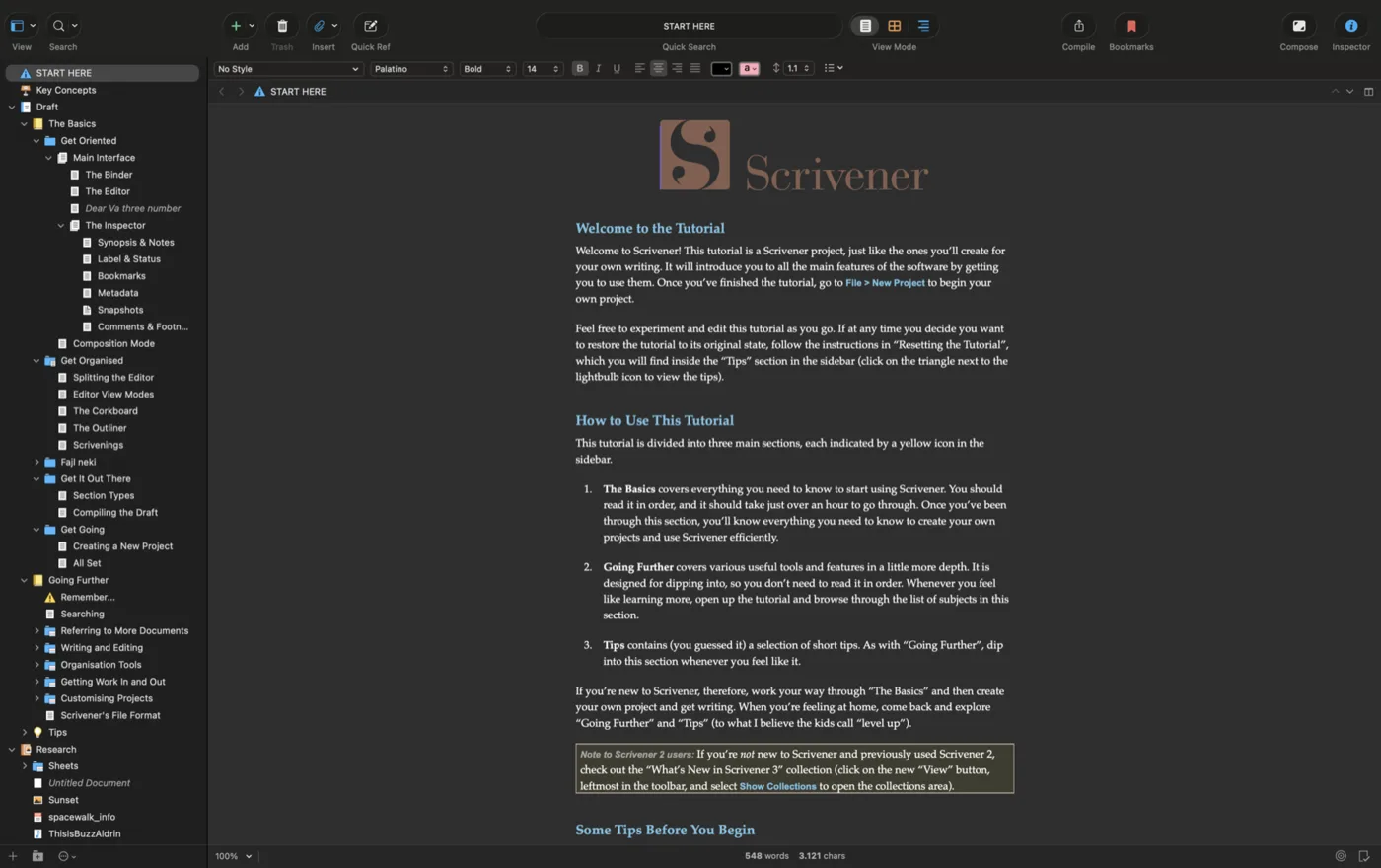
Scrivener is deep, and depth has a cost: the first hour can feel like sitting in an unfamiliar cockpit. The saving grace is the built-in interactive Tutorial — a real Scrivener project that teaches you Scrivener, from the binder basics to compiling, at your own pace. Ninety minutes with it is the difference between “this is overwhelming” and “I never want to draft anywhere else.”
So — is it for you?
Scrivener earns its place if you’re writing something long and structured: a novel, a thesis, a non-fiction book, a screenplay, a series bible. If you write short pieces, or you live in real-time co-editing with collaborators, plain Docs may serve you better — Scrivener’s sync is solid but it isn’t Google-Docs-style live collaboration. It’s a one-time purchase rather than a subscription, with a genuinely generous trial that counts days of use rather than calendar days, so you can take your time deciding.
You can read the full feature tour on the maker’s site: Scrivener overview at Literature & Latte.
And when the draft is done…
Scrivener gets you to a finished manuscript beautifully — but a finished manuscript isn’t yet a finished book. When you’ve compiled your draft, that’s exactly where we pick up: real typesetting, a hand-made cover, a press-ready PDF and a validated ePUB. Export from Scrivener, send it over, and we’ll turn it into the edition it deserves.